01 · Photos
Your photos, cut to the beat.
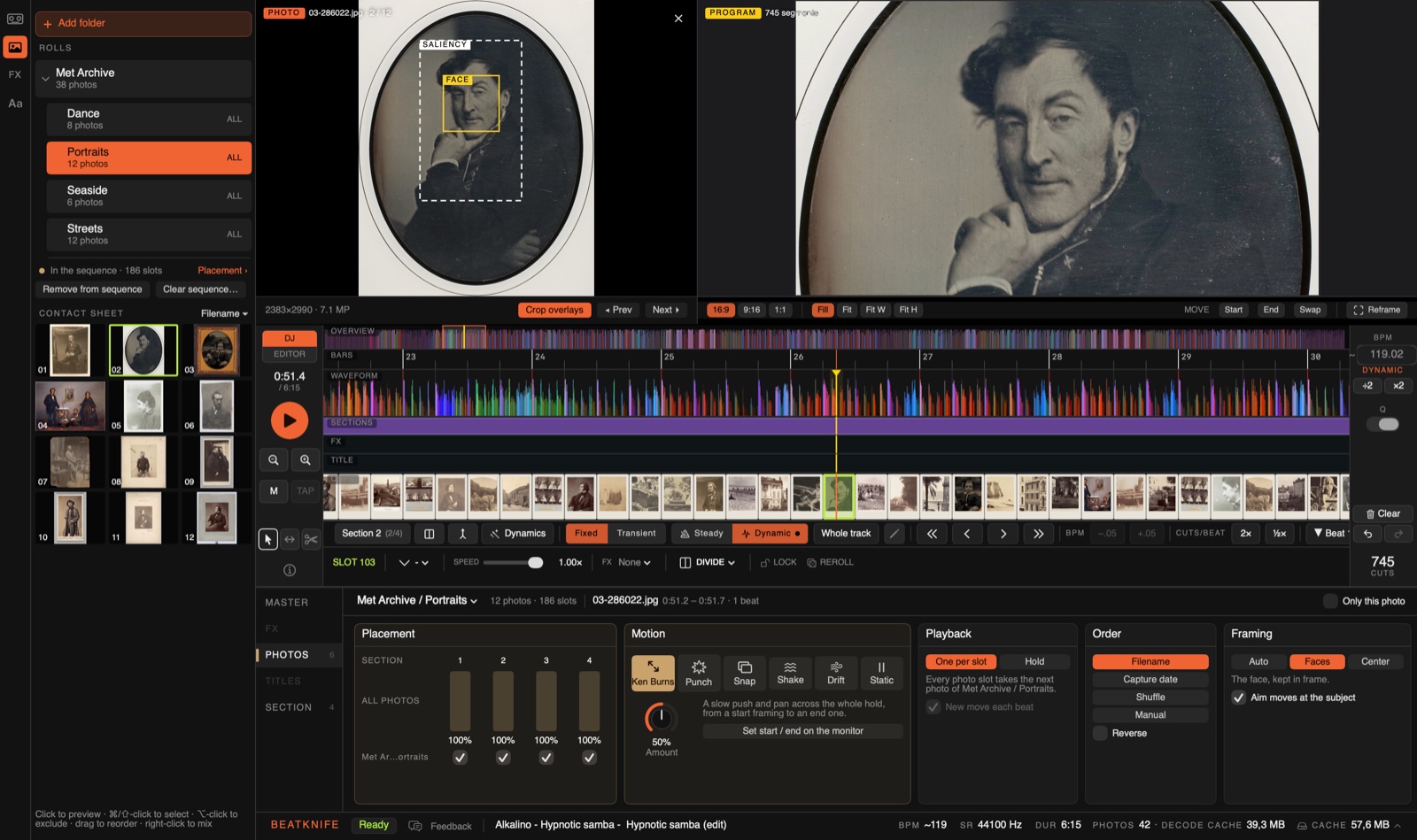
Add a folder of photos and mix it into the cut, beside your video or on its own. On the timeline, photo slots look like prints.

The biggest release since the beta began: Beatknife now cuts photos as well as video. Seven changes in 0.2.0. Beatknife updates itself, so if you're in the beta you already have them.
Add a folder of photos and mix it into the cut, beside your video or on its own. On the timeline, photo slots look like prints.
Each roll moves its photos one way: Ken Burns, Punch, Snap, Shake, Drift or Static. Here four rolls take turns, two beats a photo: Punch zooms in on every beat and eases off, then Ken Burns, Snap and Drift. The orange dot marks the beat.

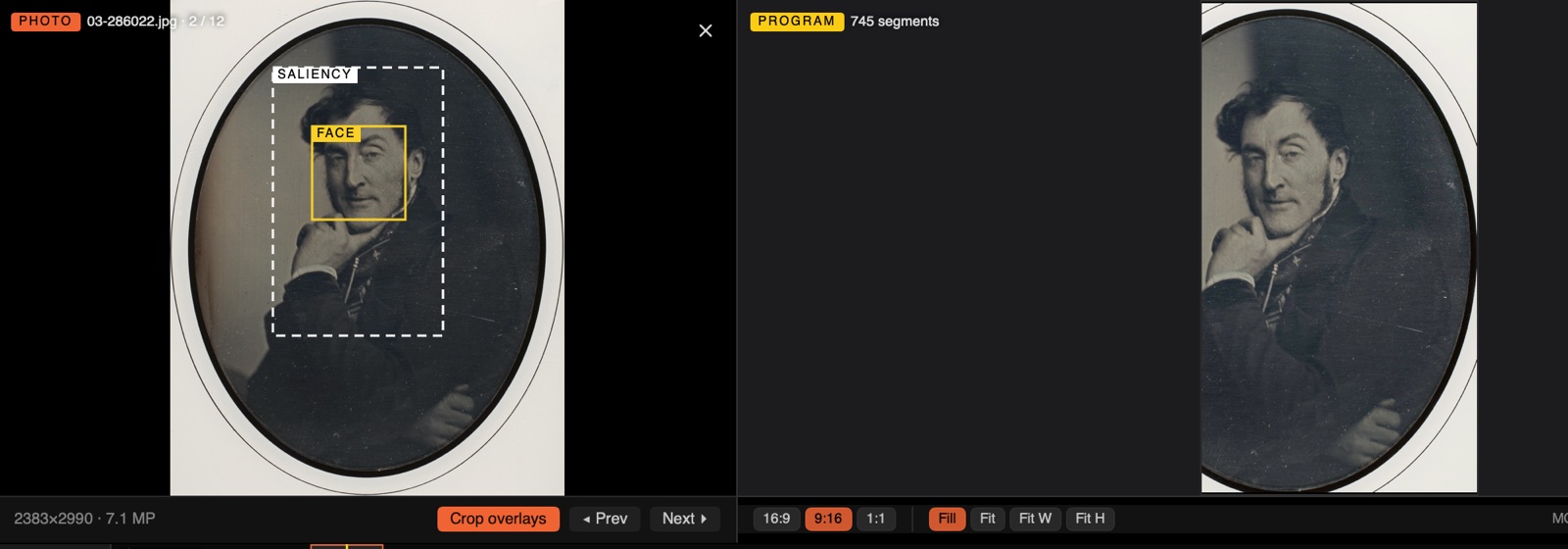
Beatknife finds the faces and the subject of each photo and keeps them in frame, in 16:9, 9:16 or 1:1. Crop overlays on the source monitor show what it found.
Export the Premiere XML and the photos come in as the stills themselves, with their moves as keyframes: every zoom and pan, frame for frame. Or as rendered clips, if you'd rather.
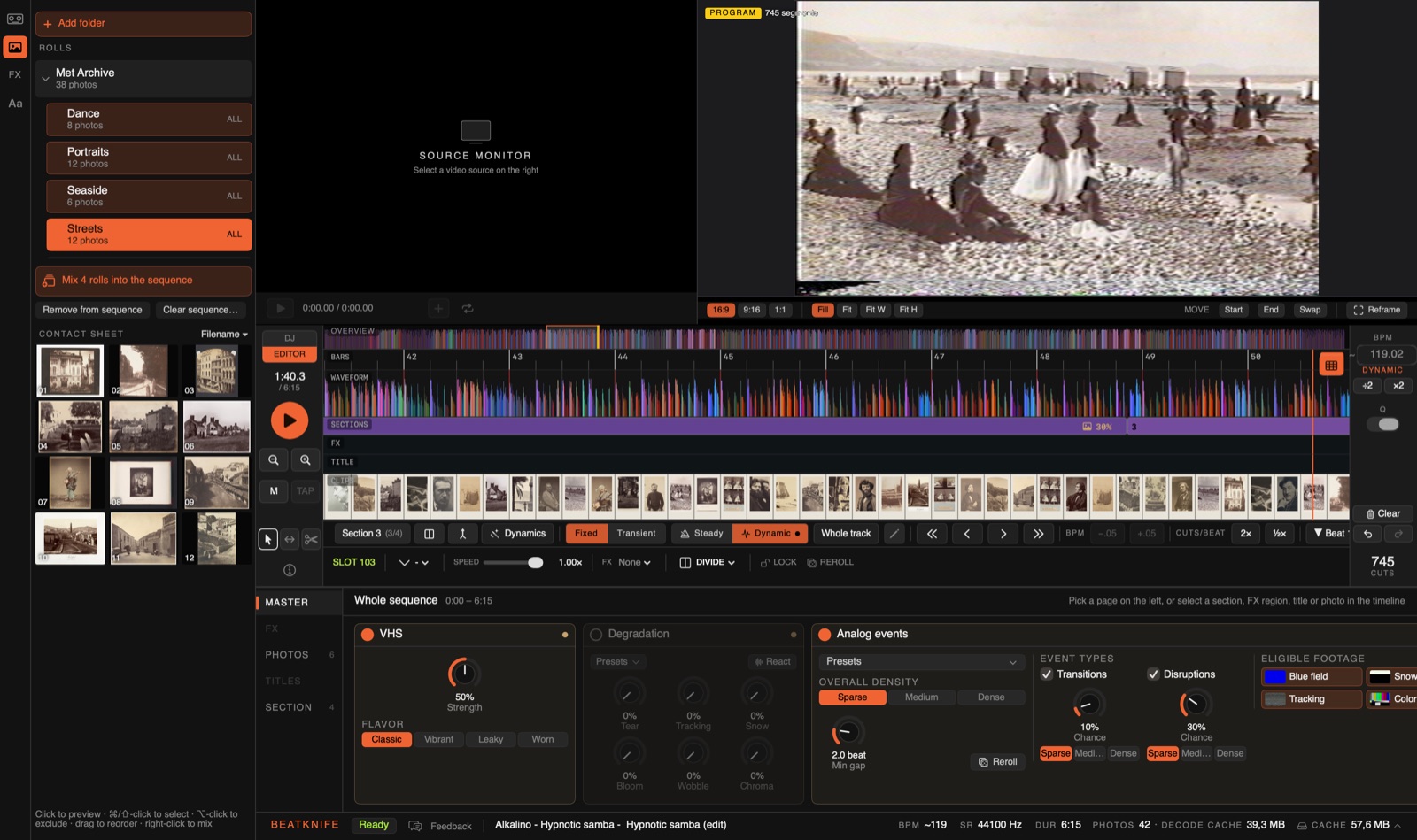
Add a folder of folders: each folder is a roll, and every folder above them holds all their photos. ⌘-click to pick several rolls and mix them in together. Here, four rolls play under the VHS look.
Tapes are read frame by frame when you add them. On our test tapes a slot straddles a shot cut 1.5% of the time, down from 11.7%, and auto-trim now cuts the FBI warnings, logos and title cards off either end.
The deck has pages: Master, FX, Photos, Titles and Section. Analog events is one card now, with its event types and footage beside it. Also new: Clear, Undo and Redo in the timeline's gutter, clearing one section, a cap on the photo cache, and no more black frame between two clips.

The photos in these captures are from The Metropolitan Museum of Art's Open Access collection (public domain).
Free while it's in beta. Already in? The app updates itself.